
User Account Provisioning via Azure ADFS and SSO
Mapping ADFS attributes, groups and roles to a Bipsync user account.
Microsoft Azure ADFS can be configured for SAML SSO in a few short steps.
Firstly, within Azure Active Directory → Enterprise Applications, create a new Bipsync application.
Inside the application's settings, select Single sign-on.
Edit the Basic SAML Configuration settings and set the following values:
The section should look like this (updating each URL as appropriate):
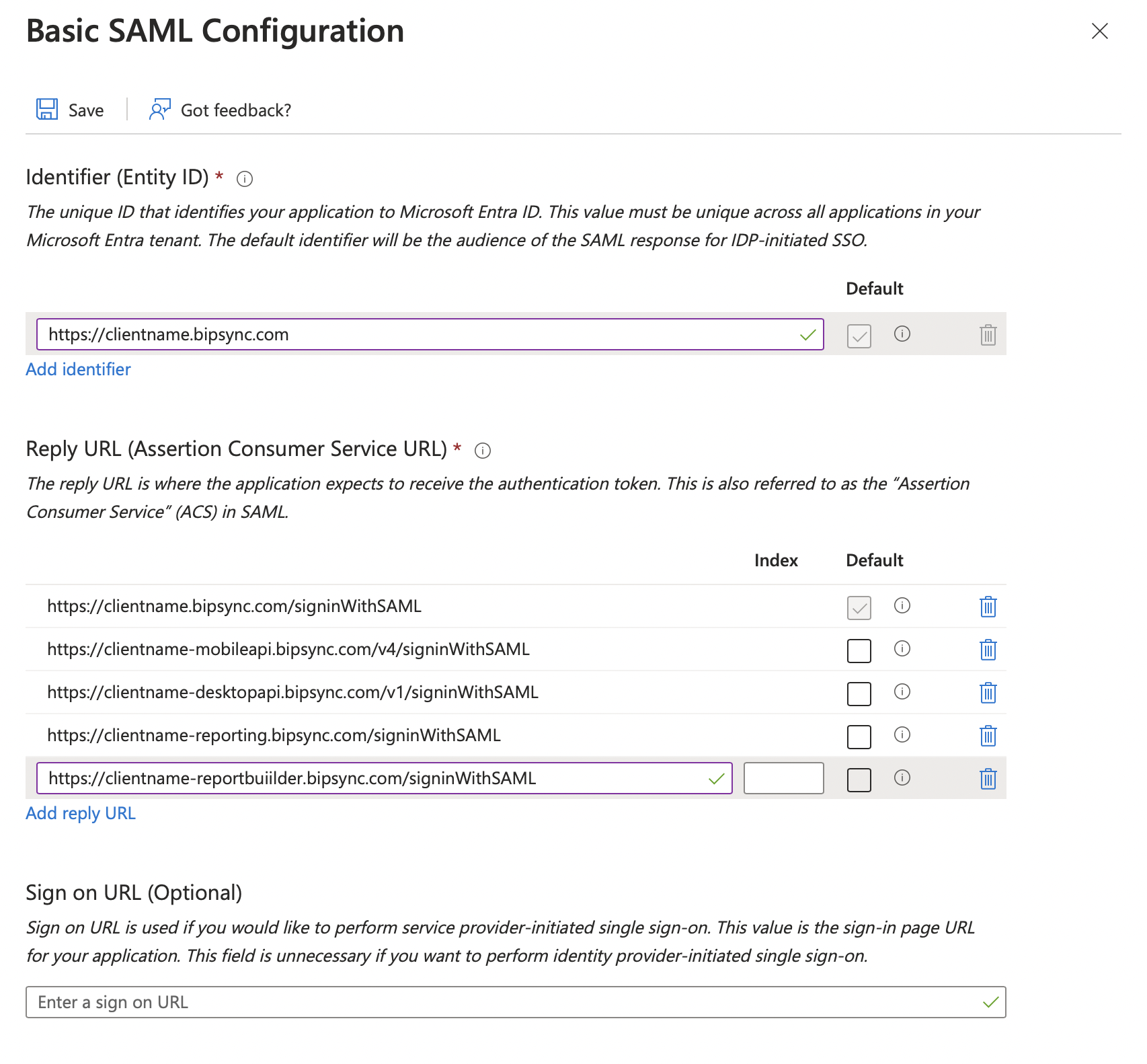
Replace 'clientname' in each URL with your subdomain.
Save your changes and return to the root SAML settings view.
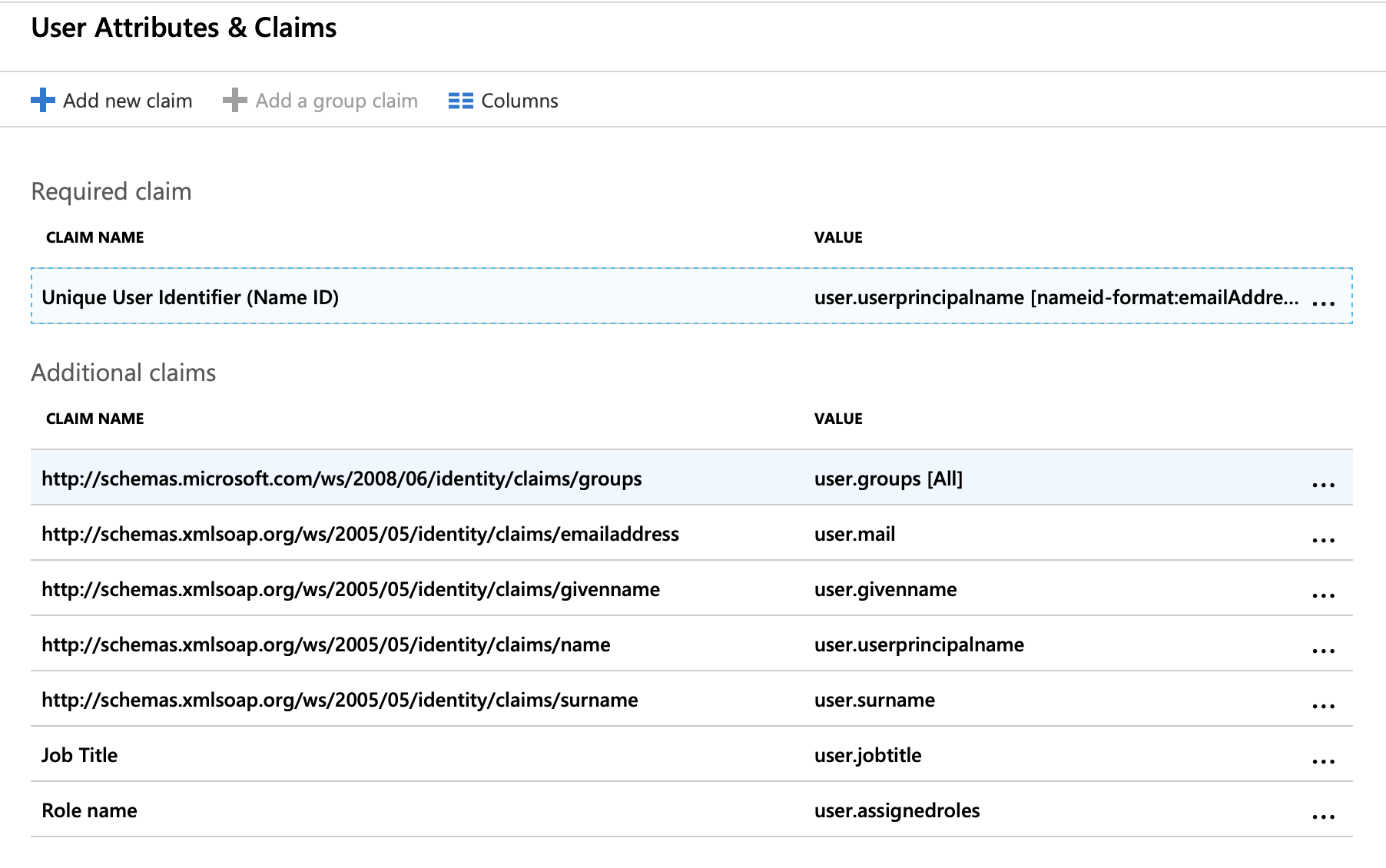
Edit the User Attributes & Claims settings and set them to the following:
Required Claim
| Claim name | Value |
|---|---|
| Unique User Identifier (Name ID) | Email address Source: Attribute Source attribute: user.userprincipalname |
Additional Claims
These additional claims are only necessary if you wish to automatically provision Bipsync user accounts when a user authenticates via SSO.
| Claim name | Value |
|---|---|
| http://schemas.microsoft.com/ws/2008/06/identity/claims/groups | user.groups Source: Group ID |
| http://schemas.xmlsoap.org/ws/2005/05/identity/claims/emailaddress | Source: attribute Source attribute: user.mail |
| http://schemas.xmlsoap.org/ws/2005/05/identity/claims/givenname | Source: attribute Source attribute: user.givenname |
| http://schemas.xmlsoap.org/ws/2005/05/identity/claims/name | Source: attribute Source attribute: user.userprincipalname |
| http://schemas.xmlsoap.org/ws/2005/05/identity/claims/surname | Source: attribute Source attribute: user.surname |
| Job Title | Source: attribute Source attribute: user.jobtitle |
| Role name | Source: attribute Source attribute: user.assignedroles |
N.B.: To allow the assigned roles claim you may have to follow the steps in this article: https://docs.microsoft.com/en-us/azure/active-directory/develop/active-directory-enterprise-app-role-management.
The resulting section should look like this:
Save these changes and return to the main settings view.
You should now allocate the users/groups that you wish to be able to authenticate with Bipsync via the Users & groups section.
Updated 7 months ago