
Webhook Integration
Learn how Bipsync's Rules engine can trigger webhooks to your system.
Bipsync's Rules engine allows users to trigger actions when certain events occur in Bipsync. One of these actions we support is to call a webhook, which sends a custom payload to a specified URL. This payload can contain data relating to the event, such as the title and content of a note that was modified.
Payloads can be XML or JSON, and they're rendered with Mustache. Therefore by encoding data placeholders with {{}} characters, they'll be converted to the corresponding values of the related document when the webhook is invoked.
For example consider the following JSON template:
{
  "data": {
    "type":"notes",
    "attributes": {
      "effectiveDate": "{{ document.created.sec }}",
      "title": "{{ document.title }}"
    },
    "author": {
        "data": {
          "type":"system-users",
          "id":"{{ document.user._id }}”
        }
      }
    }
  }
}
These templates allow you do detail the exact structure of the request to adapt it to your consuming web-service.
The list of available properties is long, here is an example of some typical objects in Bipsync:
Research
| Property | Description | Usage |
|---|---|---|
| title | Note title | {{document.title}} |
| id | Note ID | {{document._id}} |
| user | The user that owns the note. Returns a User object. | {{document.user}} |
Category
| Property | Description | Usage |
|---|---|---|
| name | Name of the category | {{document.name}} |
| id | Category ID | {{document._id}} |
| classification | Classification ID of the category | {{document.classification}} |
| ticker | Ticker for companies | {{document.ticker}} |
Project
| Property | Description | Usage |
|---|---|---|
| name | Name of the project | {{document.name}} |
| id | Project ID | {{document._id}} |
| stage | Stage ID of the project | {{document.stage}} |
User
| Property | Description | Usage |
|---|---|---|
| name | Name of the user | {{document.name}} |
| id | Project ID | {{document._id}} |
| Email address of the user | {{document.email}} |
Configuration
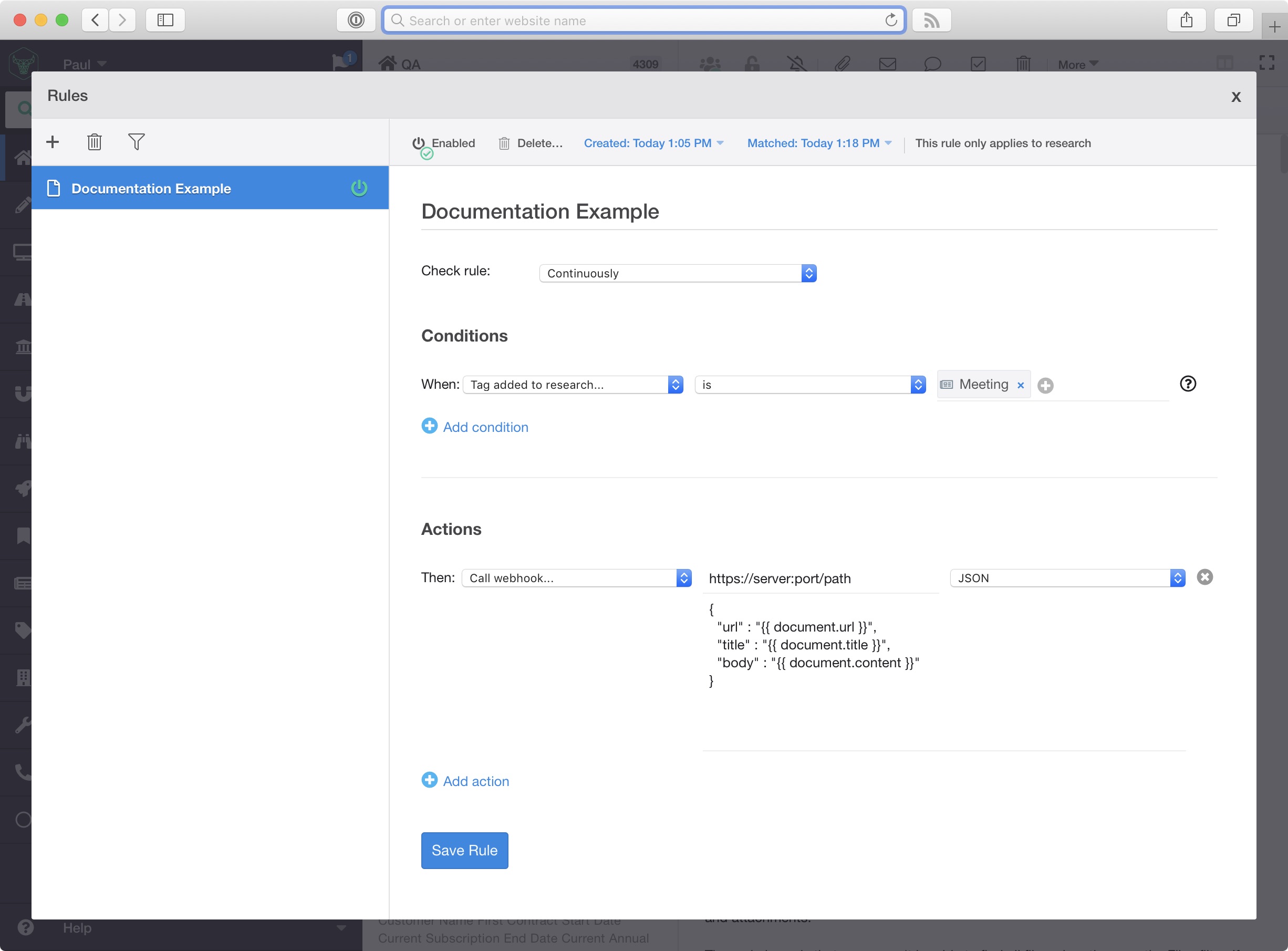
All the configuration for webhooks are contained within the Bipsync Rules interface:
Networking requirements
Full support for any HTTPS server with a valid certificate chain listening on any port.
Requests are sent almost real-time after the condition is met.
The source of the requests will be from your installation instances within the AWS EC2 cloud.
Updated about 2 months ago