
Imported Document Configuration
This configuration manages how the data supplied by Canoe is mapped to properties and fields within Bipsync.
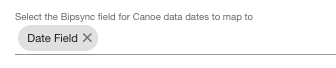
Select the Bipsync field for Canoe data dates to map to
Each Canoe document has a data date. This is a date relevant to the document data itself, rather than the date it was uploaded or updated last. For example, if you have a quarterly report that is published on the 31st of March 2022, the data date would be 31st of March 2022, even if it was uploaded before or after that date.
This option allows users to specify a field within Bipsync which will store this date on the imported document.
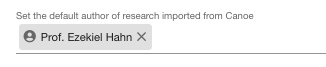
Set the default author of research imported from Canoe
Here you can name a user who will be set as the author for imported Canoe documents if no other user can be identified as appropriate. If this is left blank, the default author is a system-managed user named "Canoe User".
Note that document mappings can be used to specify the user in more specific situations: in cases where a mapping is active, the default user configured here will be supplanted by the more specific one.
Set the default sharing of research imported from Canoe
Here you can set the sharing settings for imported Canoe documents. If this is left blank, the sharing settings will match the sharing settings of the default author.
Note that document mappings can be used to specify sharing settings in more specific situations: in cases where a mapping is active, the settings configured here will be supplanted by the more specific ones.

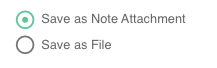
Imported document type
You can choose if you want the imported document to be saved as a file, or within a new note as an attachment.
Updated about 1 year ago