
Dynamic Placeholders for Note Templates
Pre-populate key attributes to save time when creating new notes
Dynamic Placeholders are variables you can use in Note templates to standardize your note taking process. You can use them in both the note title and the note body to ensure consistency across your notes.
When a note is created from a template, these placeholders are automatically replaced with the relevant values, saving you crucial time in your research process.
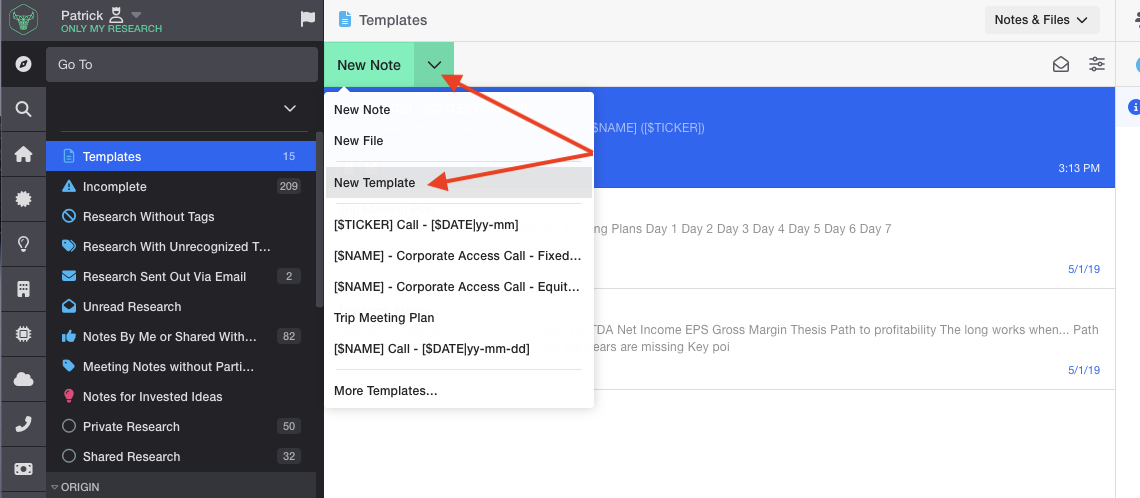
To create a template with dynamic placeholders, use the green arrow dropdown in the middle note pane:
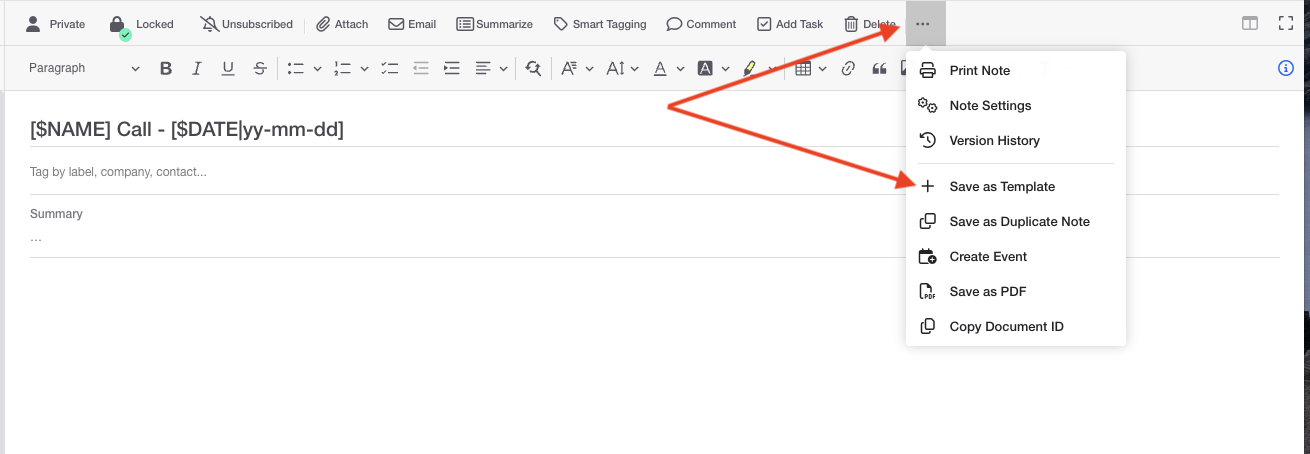
Or, if you're in an existing note, select the dot icon at the top of the note toolbar and select"Save as template".
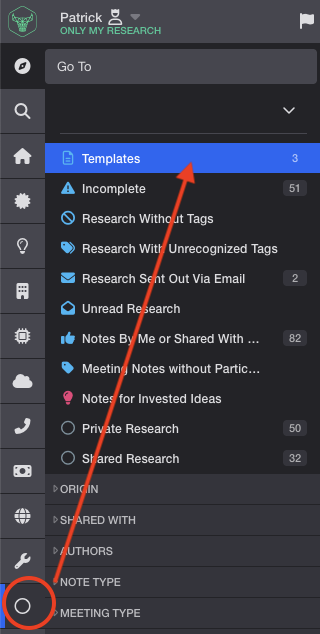
A list of all existing templates can be found by navigating to the Properties section:
Certain placeholders are relevant to entities (company, fund, manager, etc.) for example: NAME, TICKER, or FIELD while others will capture specific pieces of metadata.
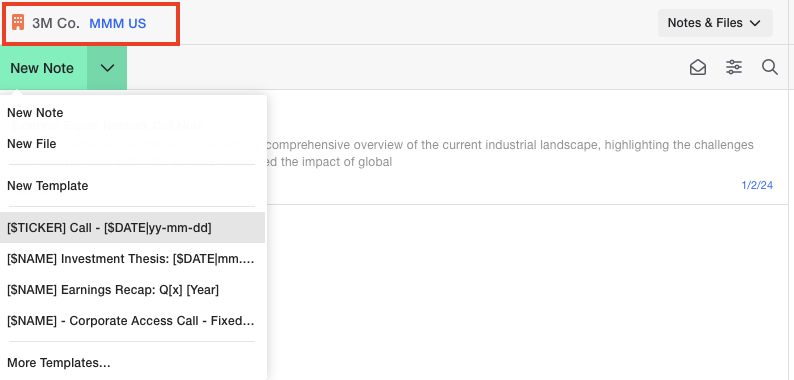
To ensure the entity placeholders are captured, the note must be created directly from the entity dashboard/landing page. You will know you are on an entity dashboard/landing page if you see the name of the entity in the middle note pane.
Note - If the entity is tagged to the note after it has been created, the dynamic placeholder values will not populate.
Full list of Dynamic Placeholders can be found below
- [$NAME]
- [$TICKER]
- [$FIELDNAME:FIELD]
- FIELDNAME is replaced with the actual field name from the dashboard
- [$AUTHOR]
- [$INITIALS]
- This is the initials of the author
- [$DATE]
- Date is configurable by specifying a format using [$DATE|Format]
- See https://api.jqueryui.com/datepicker/#utility-formatDate for additional documentation
- Below are some commonly used date formats
| Display Example | Format Code | Notes |
|---|---|---|
| 7/14/2025 | m/d/yy | No leading zero for day/month |
| 07/14/2025 | mm/dd/yy | Leading zero on month & day |
| 14/7/2025 | d/m/yy | Day first format |
| 2025-07-14 | yy-mm-dd | ISO 8601 style |
| July 14, 2025 | MM d, yy | Full month name |
| Mon, Jul 14, 2025 | D, M d, yy | Short day and month names |
| 14.07.25 | dd.mm.y | European compact format |
Updated about 1 year ago