
Report Builder
Intuitively navigate Bipsync's native data structures to craft and export custom reports
The Report Builder allows greater access to Bipsync data schema in the form of datasets. This allows research data to be accessed and analysed either within the app or exported for use in an external system.
User Roles and Permissions
The Report Builder is designed to be used by data analysts. Access provides a read only window into everything in the system much like the Compliance App.
The Report Builder can be accessed by users who have been granted the appropriate permission. Authorized users can control this permission via Bipsync's user management features; alternatively please contact a Bipsync CSM who will be happy to assist.
Core Datasets
Each installation provides a number of core datasets, the exact nature of which will change depending on how the installation has been configured. Examples include:
- Research
- Research Group by Author
- Research Creation Summary, Grouped by Author
- Research Creation Summary, Grouped by Type
- Research Deleted, Grouped by Author
- Research with Attachments, Grouped by Author
- Research of Type Email, Grouped by Author
- Files Grouped by Author
- Research Actions
- Research Views Summary, Grouped by Author
- Research Views Summary, Grouped by Research
- Research Views Summary, Grouped by Viewer
- Research Shares Summary, Grouped by Research
- Research Shares Summary, Grouped by Sharer
- Research Email Summary, Grouped by Research
- Research Email Summary, Grouped by User
- Research Update Summary, Grouped by Research
- Research Update Summary, Grouped by Updated By
- Research Comment Summary, Grouped by Research
- Research Comment Summary, Grouped by Commented By
- Research Subscribe Summary, Grouped by Subscriber
- Research Unsubscribe Summary, Grouped by Unsubscriber
- Research Collaboration Summary, Grouped by Research
- Research Collaboration Summary, Grouped by Collaborator
- Users
- Contacts
- Pipelines
- Progress per Pipeline type
- Categories
- Dataset per category
Browsing Datasets
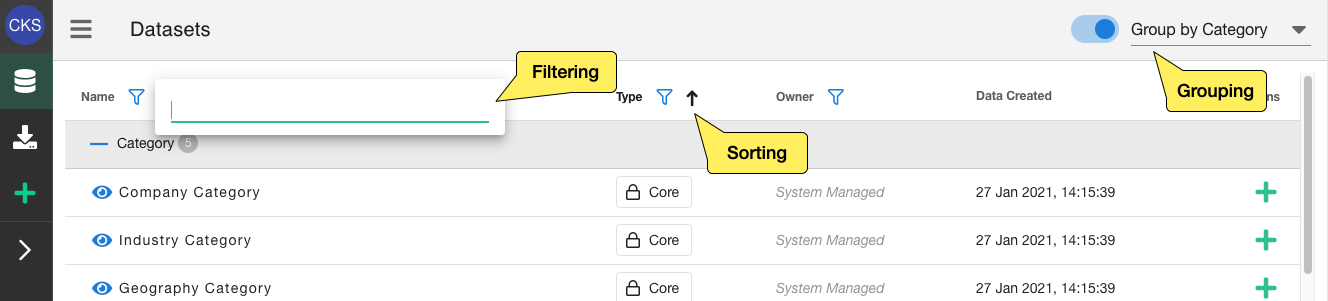
You can browse the above datasets when you login, it's presented as list of datasets which you can sort, filter and group.
Previewing Datasets
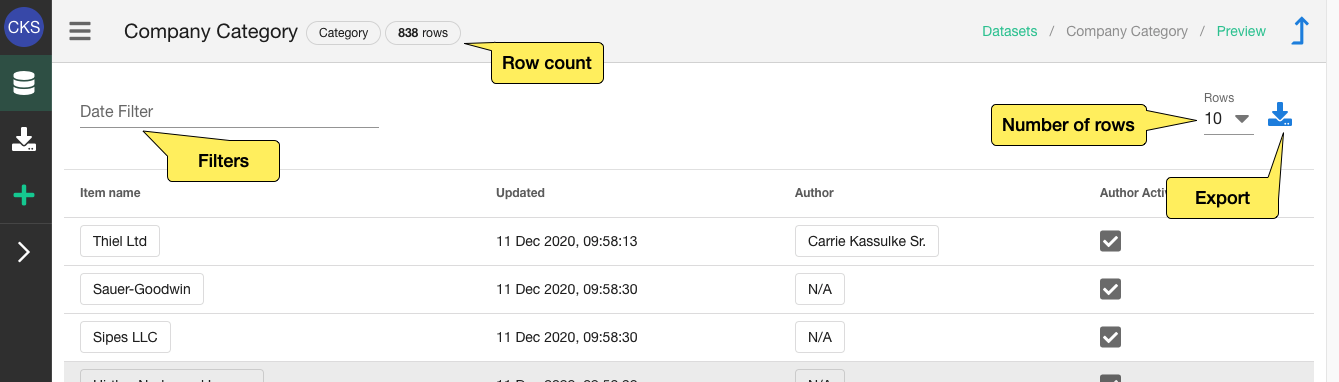
From the dataset list any datasets can be previewed, this give a small sample of data as well as some filters to drill down into the data. This can help you decide if you want to export it or adjust the dataset.
Exporting Datasets
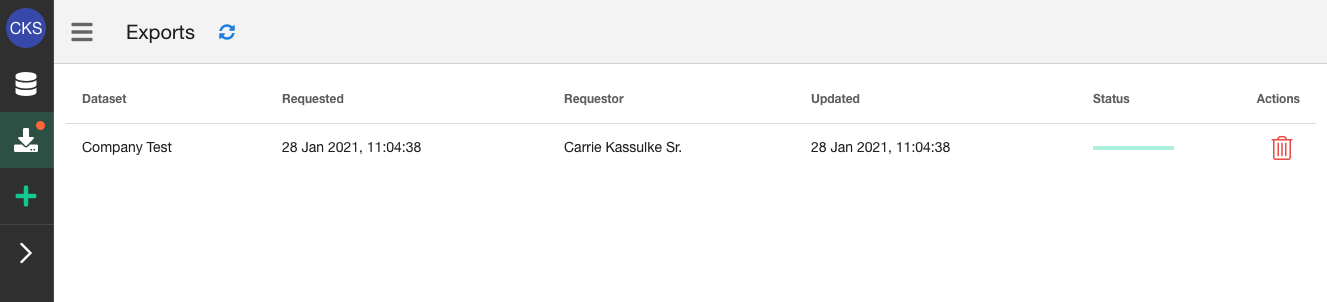
From the preview a dataset can also exported on the interface by clicking export icon and the desired format, e.g. Export as CSV. This triggers an export which will run in the background, you'll receive an email when it's ready and you can monitor progress on the Exports page.
You can monitor the progress of exports and download them when they're ready or delete exports that are no longer needed.
Creating Custom Datasets
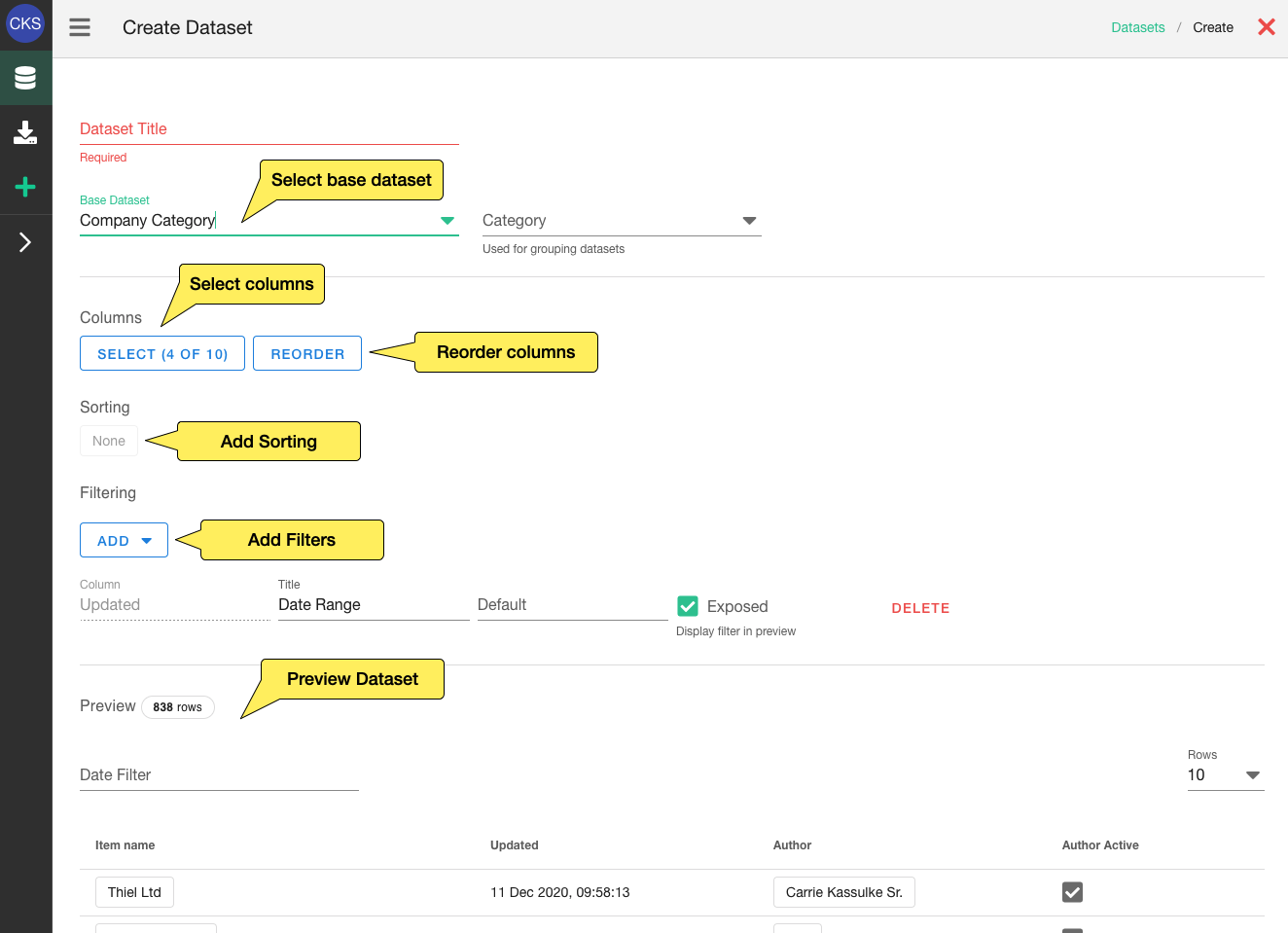
As mentioned we provide a number of core datasets but you can also create custom ones. You can apply filters, sorting, select columns and then make make that dataset available.
These datasets will be available in the same way as core datasets.
Report Builder SupportIf you need help accessing or using Report Builder please contact us.
Updated about 1 year ago