
Set up links from dashboards to other apps
The URL Input feature enables the addition of a URL to a dashboard field, which can be used to navigate to other applications.
Adding a new URL
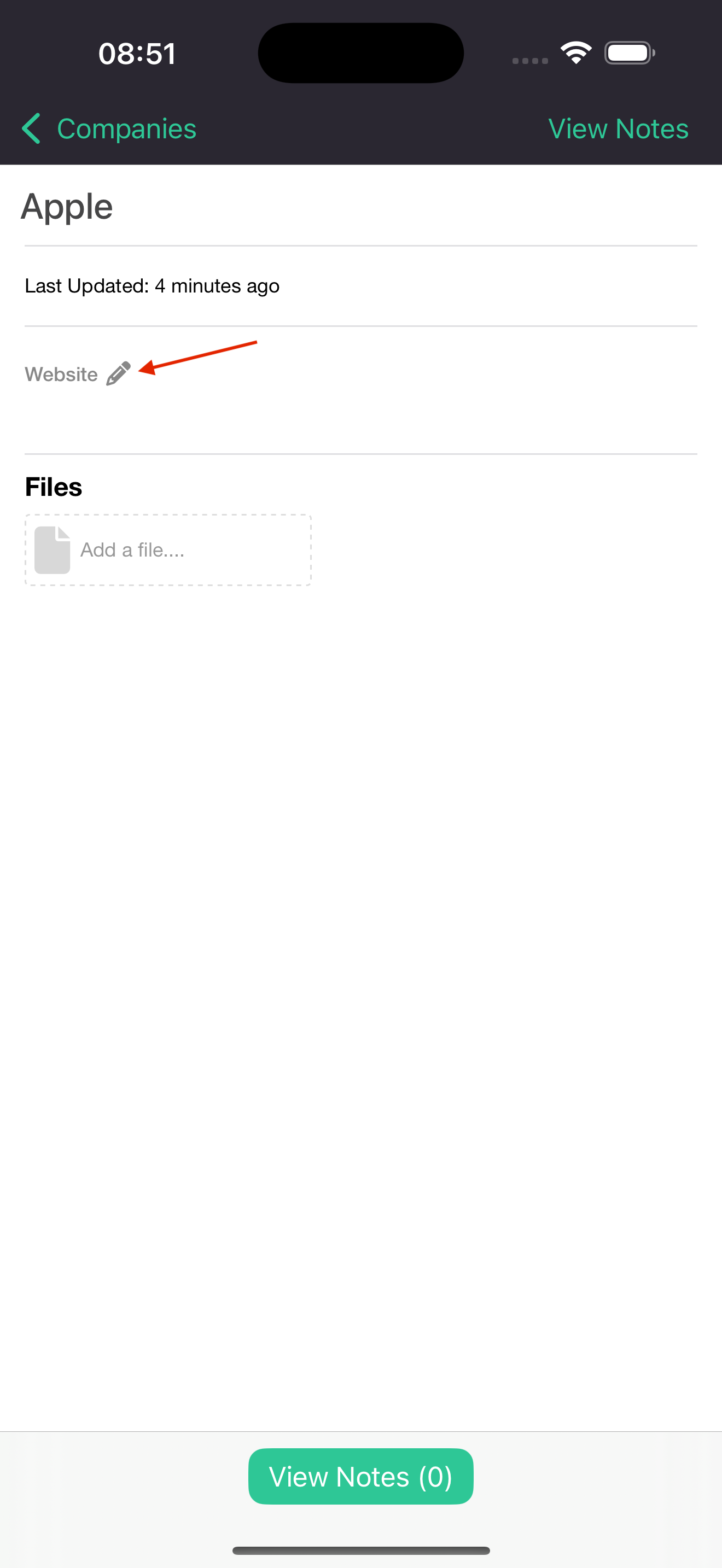
- Navigate to dashboard with a URL supporting field such as a fund or a company.
- Select the 'edit' icon next to the field title.
- Populate URL.
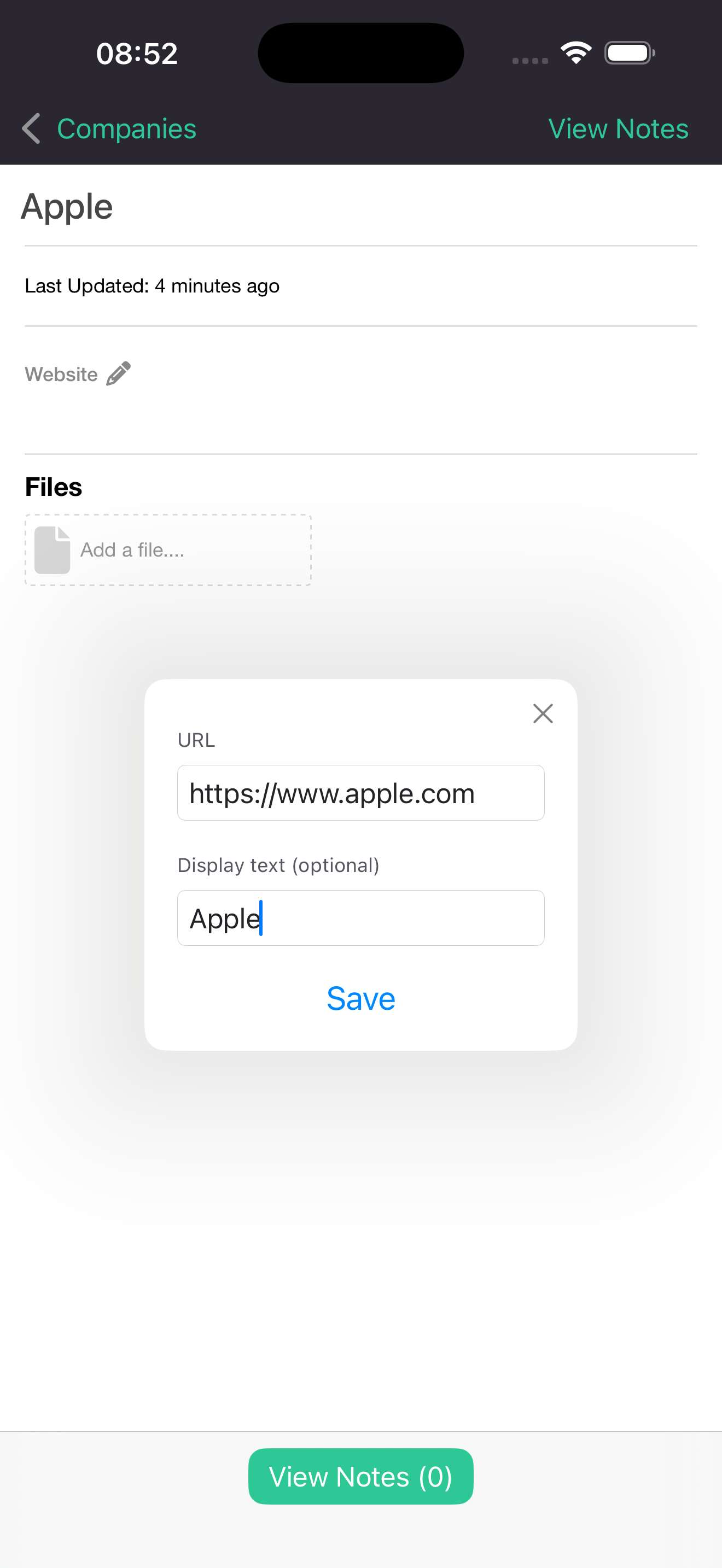
- Select 'Save' to add URL to field.
Editing an existing URL
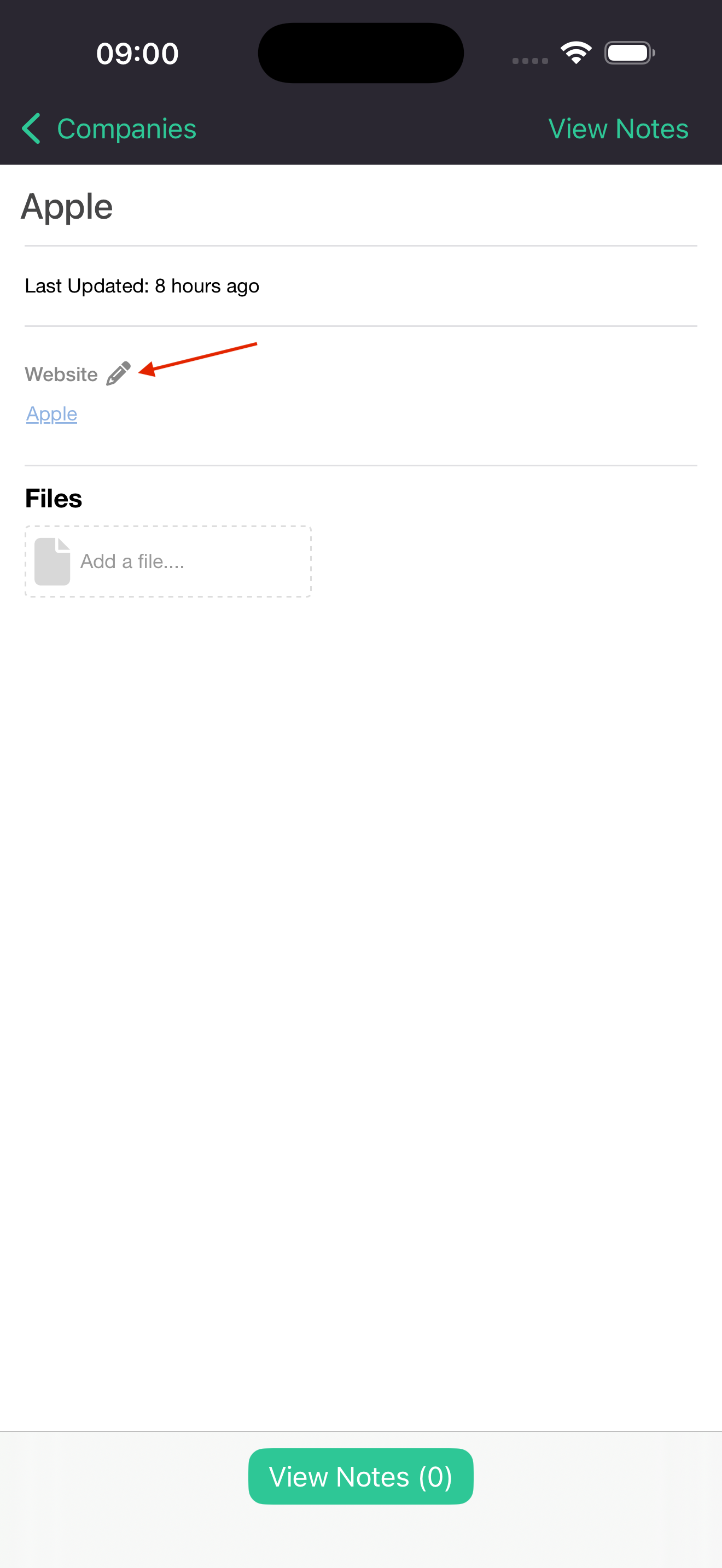
- Navigate to dashboard with a URL supporting field such as a fund or a company.
- Select the 'edit' icon next to the field title.
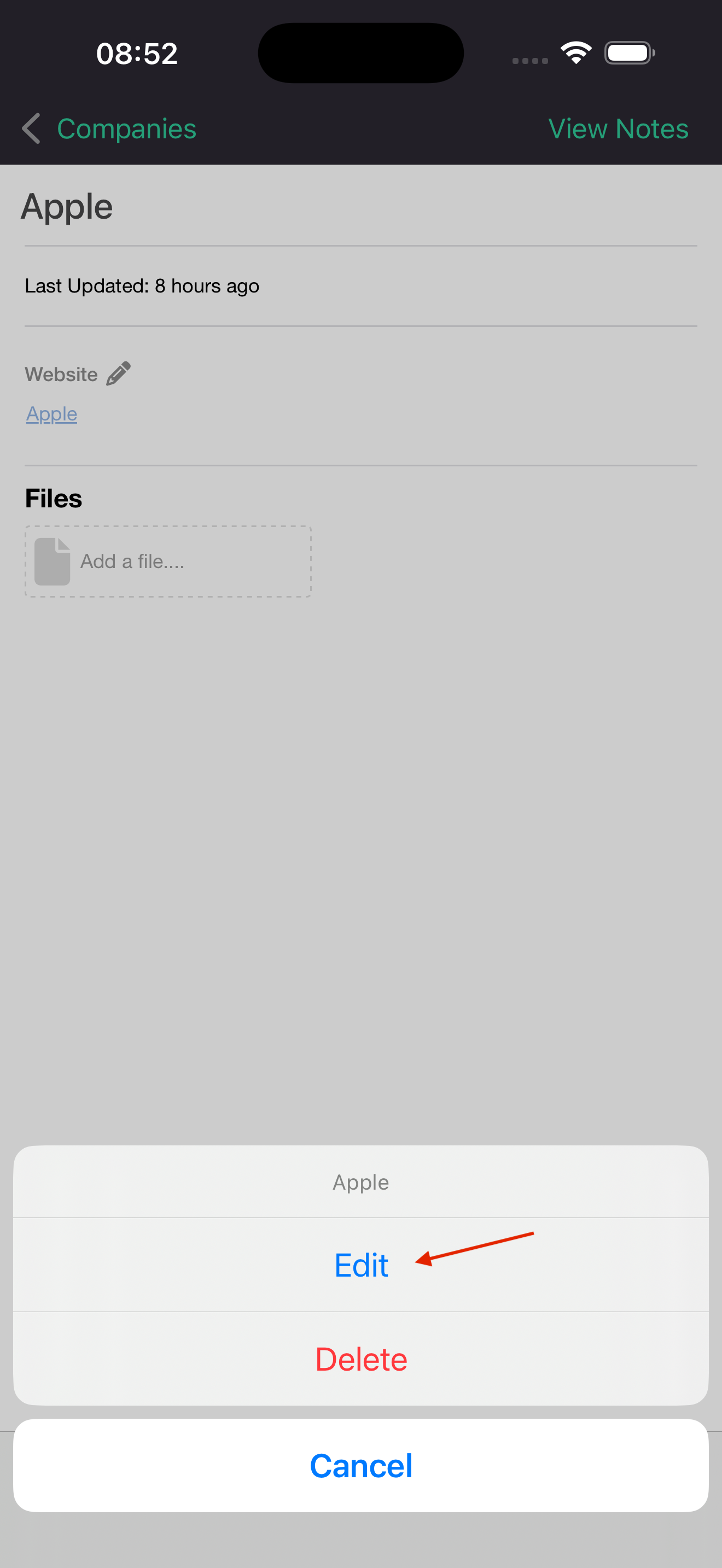
- Select 'Edit'.
- Perform the necessary changes and select 'Save'.
Deleting an existing URL
- Navigate to dashboard with a URL supporting field such as a fund or a company.
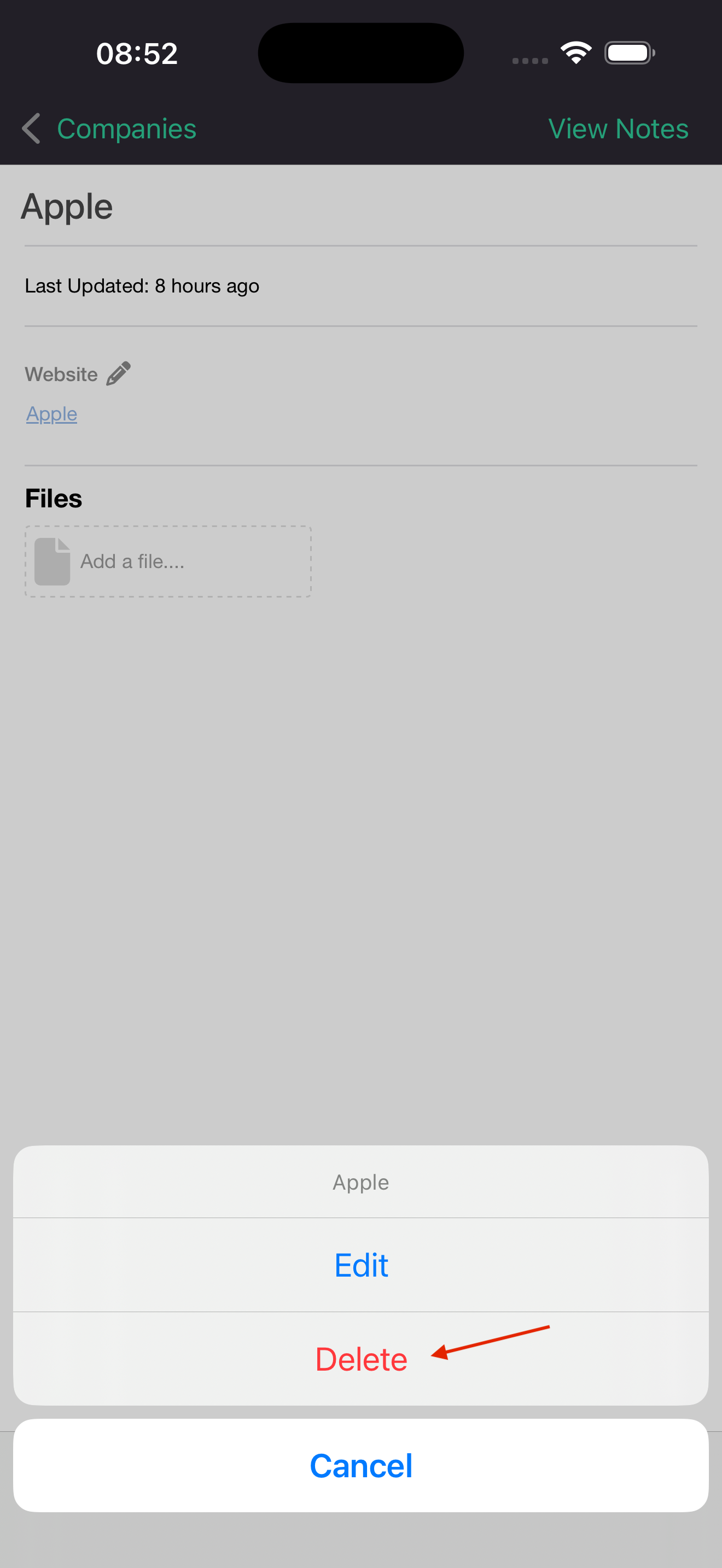
- Select the 'edit' icon next to the field title.
- Select 'Delete'.
Updated 10 months ago